Smart Telescope EQ Mode Explained: Field Rotation, Polar Alignment and What You Need
Our top picks
 Best EQ-ready smart scope: needs only the TH10 head, 60-second exposures in EQ, about $999ZWO Seestar S50 Pro Smart Telescope50 mm f/5.2 · 2.45° × 1.38° · 6.2 lb8.6Price tier: Mid-rangeCheck price on Amazon
 Best portable EQ option: add the TH10 head and TC20 tripod, about $664ZWO Seestar S30 Pro Smart Telescope30 mm f/5.3 · 3.99° × 2.24° · 3.6 lb8.5Price tier: Mid-rangeCheck price
 Best value: EQ mode by tilting on a tripod head, about $549DWARFLAB Dwarf 3 Smart Telescope35 mm f/4.3 · 2.93° × 1.65° · 3 lb8.2Price tier: BudgetCheck price
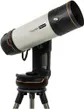 Biggest scope with EQ support: optional Celestron wedge, about $4,299Celestron Origin Mark II Intelligent Home Observatory152 mm f/2.2 · 1.32° × 0.75° · 41.6 lb7.5Price tier: FlagshipCheck price
Open the settings on a Seestar or Dwarf and you’ll find “EQ mode”, a feature that sounds like it’s for experts. It isn’t hard to understand, and for some owners it’s the most useful upgrade they can make. This explainer covers what alt-az field rotation is, how EQ mode fixes it, which smart telescopes support it, what it costs and how polar alignment works in plain terms.
It’s research-based: we haven’t tested these telescopes ourselves. Exposure limits and compatibility come from the makers’ pages and the accessory listings we checked on Amazon on November 12, 2026. Prices change, so check today’s price before you buy.
Alt-az: how smart telescopes track by default
Out of the box, every smart telescope uses an altitude-azimuth (alt-az) mount: it moves up and down (altitude) and left and right (azimuth), like a camera on a pan-and-tilt head. To follow a star across the sky it moves both axes together, and it does that very well. That’s why you can set a smart scope on any flat surface, tap a target and start stacking.
The sky, though, doesn’t move up-down and left-right. It turns around the celestial pole, near Polaris in the Northern Hemisphere. An alt-az mount can keep a target centered, but it can’t keep the frame’s orientation lined up with the stars. Over minutes and hours, the field slowly rotates around the target. This is field rotation.
What field rotation costs you
- Shorter exposures. During each single exposure the field turns a little, so stars near the frame edges start to trail in short arcs. Smart scopes keep individual exposures short to stay ahead of it.
- Cropped corners. Live stacking rotates each frame to match the first one (see how smart telescopes work). As the angle grows, the frames overlap less at the corners, so a long stack ends up with ragged or cropped edges.
- Worse in some parts of the sky. Rotation is fastest for targets high overhead, and an alt-az mount struggles to follow objects passing close to the zenith.
None of this stops you getting great images in alt-az. It just sets a ceiling on single-exposure length and on how long one stack stays clean.
EQ mode: tilting the axis to match the sky
In equatorial (EQ) mode, you tilt the telescope so its azimuth axis is no longer vertical but points at the celestial pole: tilted by an angle equal to your latitude. Now the scope can follow the sky by turning mostly around that single axis, the same way the sky itself turns. The frame’s orientation stays fixed relative to the stars.
The results:
- No field rotation. The stars stay put in the frame for the whole session, so long stacks keep clean edges.
- Longer exposures. Without rotation, single exposures can run longer before stars trail, which helps faint targets.
- Through the zenith. Targets passing overhead are no longer a tracking problem.
The trade-offs are setup time (you have to polar-align every session), extra hardware for most scopes and a slightly more involved routine for beginners.
Which smart telescopes support EQ mode
| Telescope | EQ mode | What you need | Max exposure in EQ (maker) |
|---|---|---|---|
| Seestar S50 Pro | Yes | TH10 head | 60 s |
| Seestar S30 Pro | Yes | TH10 head + TC20 tripod | Not stated in our research |
| Seestar S30 Plus | Yes | TH10 head + TC20 tripod | 60 s (EQ mode only) |
| Dwarf 3 | Yes | Tripod with a tilting head | 60 s (telephoto) |
| Dwarf Mini | Yes | Tripod with a tilting head | 90 s |
| Origin Mark II | Yes | Optional Celestron wedge | Not quoted |
| Vaonis Vespera II, 3, Pro 2 | No | n/a | n/a |
| Unistellar (all models) | No | n/a | n/a |
ZWO Seestar
ZWO’s S50 Pro page lists EQ mode with the separately sold TH10 head and 60-second exposures in EQ mode. On the S30 Plus, ZWO says 60-second exposures are available only in EQ mode, and recommends the TH10 head and TC20 tripod. ZWO’s guidance is that S50-series owners need only the TH10, while S30-series owners should add the TC20 tripod.
That makes the Seestar S50 Pro the simplest EQ upgrade: it already comes with a carbon tripod, so the head is the only extra. About $999; check the S50 Pro price. The S30 Pro ships with a mini tripod, so plan on both pieces. About $664; check the S30 Pro price.
DWARFLAB Dwarf 3 and Dwarf Mini
DWARFLAB’s approach is simpler: you tilt the unit to your latitude on a tripod head. On the Dwarf 3, DWARFLAB quotes 60-second telephoto exposures in EQ mode. The Dwarf Mini goes to 90 seconds by DWARFLAB’s figures, aligned manually on Polaris with guidance from the app. Neither ships with a tripod, so you’ll need one with a tilting head anyway. Check the Dwarf 3 price.
Celestron Origin Mark II
The Origin Mark II uses a single-arm alt-az mount, but Celestron’s app supports an optional equatorial wedge that tilts the whole mount. It’s a heavier, pricier route: the scope weighs 41.6 lb complete and costs about $4,299. See Celestron Origin vs Seestar for whether the Origin makes sense at all.
Vaonis and Unistellar: alt-az only
Vaonis’ comparison page lists no EQ mode for any Vespera, and Unistellar’s scopes are alt-az too, with field rotation handled in software. For most of their owners this matters less than it sounds: short exposures and good software still produce clean stacks. But you can’t switch to EQ for longer exposures if you want to later.
The hardware
| Item | Type | Fits | Buy |
|---|---|---|---|
| Celestron equatorial wedge for NexStar SE, Evolution and Origin Tilts the Origin's fork mount into equatorial mode for longer exposures without field rotation. | Tripod & wedge | Origin Mark II (The Amazon title lists Origin; the bullet points only mention NexStar SE and Evolution. Confirm Origin Mark II compatibility with Celestron before buying.) | Check price |
| DWARFLAB mini tripod with hydraulic head Compact 1/4-inch tripod with a tilting hydraulic head, the simple way to set the Dwarf 3 or Dwarf Mini up for EQ mode. | Tripod & wedge | Dwarf 3, Dwarf Mini (Rated for 3 kg (6.6 lb).) | Check price |
| ZWO Seestar TH10 fluid tripod head (EQ mode) Tilts a Seestar to your latitude for equatorial mode, which removes field rotation and allows longer, cleaner stacks. | Tripod & wedge | Seestar S30 Plus, Seestar S30 Pro, Seestar S50 Pro (ZWO says S50-series owners need only the TH10; S30-series owners should add the TC20 tripod.) | Check price |
| ZWO Seestar TC20 carbon-fiber tripod Taller, stiffer 3/8-inch tripod than the mini tripod that ships with the S30 series, rated for 66 lb. | Tripod & wedge | Seestar S30 Plus, Seestar S30 Pro (Needed with the TH10 head for EQ mode on an S30 Plus or S30 Pro.) | Check price |
| ZWO Seestar TH10 head + TC20 tripod bundle Both EQ-mode pieces for the S30 series in one listing. | Tripod & wedge | Seestar S30 Plus, Seestar S30 Pro | Check price |
| Leftfoto tripod leveler (±5°) Sits between tripod and head so you can level precisely for EQ-mode polar alignment without fiddling with the legs. | Tripod & wedge | Seestar S30 Plus, Seestar S30 Pro, Seestar S50 Pro | Check price |
- ZWO Seestar TH10 head (about $94): the fluid head that tilts a Seestar to your latitude. For the S50 Pro, it’s all you need.
- ZWO Seestar TC20 carbon tripod (about $94): a taller, stiffer 3/8-inch tripod rated for 66 lb, needed with the TH10 on the S30 Plus or S30 Pro.
- TH10 + TC20 bundle (about $180): both S30-series pieces in one listing.
- Leftfoto tripod leveler (about $37): sits between tripod and head and adjusts ±5°, so you can level precisely without fiddling with leg lengths.
- DWARFLAB mini tripod with hydraulic head (about $89): a compact 1/4-inch tripod with a tilting head, rated for 3 kg, the simple way to set up a Dwarf 3 or Dwarf Mini for EQ mode.
- Celestron equatorial wedge (about $410): tilts the Origin’s fork mount into EQ. Caveat: the Amazon title lists Origin, but the bullet points only mention NexStar SE and Evolution. Confirm Origin Mark II compatibility with Celestron before buying.
Polar alignment in plain terms
Polar alignment means pointing the tilted axis at the celestial pole. Smart-scope apps do most of the hard part, but the general steps are the same everywhere:
- Set up with a view of the pole. In the Northern Hemisphere that’s toward Polaris, due north at a height above the horizon equal to your latitude.
- Level the tripod. A level base makes everything after it easier; a leveler saves time here.
- Set the tilt to your latitude. On a Seestar, that’s the TH10 head; on a Dwarf, the tilting tripod head; on the Origin, the wedge.
- Aim roughly at the pole. Turn the whole tripod until the tilted axis points north.
- Follow the app. Start EQ mode and use the app’s alignment guidance to make the fine adjustments, then lock everything down.
- Don’t bump it. Any knock to the tripod after alignment means doing it again.
Expect your first attempt to take a while. Once aligned, the rest of the session works as usual: pick a target and stack.
Is EQ mode worth it?
Yes, if you image faint targets from a fixed spot, run long stacks of a single object or want the cleanest edges for mosaics and processing. The longer exposures and lack of rotation show most on faint nebulae and galaxies. Our integration-time estimator shows how long those targets take from your sky.
Not yet, if you’re new, travel light, or mostly shoot the Moon, the Sun, clusters and bright nebulae. Alt-az mode handles those fine, and you can add EQ later. If you’re still deciding between scopes, see S30 Pro vs S50 Pro and Dwarf 3 vs Seestar S30 Pro.
How we chose
We checked EQ support, required hardware and maker exposure limits for all 15 telescopes we track against each maker’s product page, and matched mounts from our accessory list to the scopes their listings confirm. Where fit isn’t fully confirmed (the Celestron wedge on the Origin Mark II), we flag it. More on our method on how we research.
Frequently asked questions
What is EQ mode on a smart telescope?
Do I need EQ mode?
What do I need for Seestar EQ mode?
Does the Vespera or Unistellar have EQ mode?
Is polar alignment hard?
Sources
- ZWO: Seestar S50 Pro product page · checked 2026-11-12 — The S50 Pro supports EQ mode with ZWO's separately sold TH10 head, with 60-second exposures in EQ mode.
- ZWO: Seestar S30 Plus product page · checked 2026-11-12 — The S30 Plus supports EQ mode with the TH10 head and TC20 tripod, and 60-second exposures are available only in EQ mode.
- DWARFLAB: Dwarf 3 product page · checked 2026-11-12 — The Dwarf 3 offers an EQ mode set up by tilting the unit on a tripod head, with 60-second telephoto exposures in EQ mode.
- DWARFLAB: Dwarf Mini product page · checked 2026-11-12 — The Dwarf Mini supports EQ mode with exposures up to 90 seconds; a tripod is not included.
- Vaonis: compare Vespera models · checked 2026-11-12 — Vespera models use an alt-az mount with no equatorial mode.
- Unistellar: compare telescopes · checked 2026-11-12 — Unistellar's Odyssey, Odyssey Pro, eQuinox 2 and eVscope 2 are alt-az smart telescopes.
Get new guides by e-mail
One short e-mail when Smart Telescope Review publishes a new guide. No spam, no sharing your address, and you can unsubscribe in one click.